Latest Post


AIMP 3.60 Build 1457 RC4 With Addons Full Version Free Download
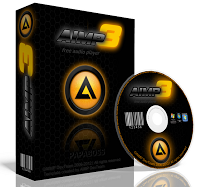
Main features of AIMP:
* Audio formats supported: MP1, MP2, MP3, MPC, MP+, AAC, AC3, OGG, FLAC, APE, WavPack, Speex, WAV, CDA, WMA, S3M, XM, MOD, IT, MO3, MTM, UMX
* Good functionality and friendly user interface
* 18-sliders equalizer and build-in sound effects: Reverb, Flanger, Chorus, Pitch, Tempo, Echo, Speed
* 32-bit sound processing: for crystal clear sound
* Works with few playlists: Listern one, work with other
* Plug-Ins support: You can add new utils or extend already exists, and connect some winamp plugins: Input, Gen, DSP
* Autoshutdown manager
* Internet-Radio: Listern and Capture!
* Bookmarks and Queues
* Hotkeys: Customizable local and global hotkeys
* Multilingual interface
* Multiuser mode support: Few users works unders one computer? It’s no problem!
* Full Unicode support
* File search: File search by all opened playlists
* Many program options
* Small distributive size
* Audio Converter: Any supported audio file can be encoded to WAV, MP3, WMA or OGG format
* Audio Grabber: Audio CD Track can be encoded to WAV, MP3, WMA or OGG format
* Sound Recorder: Capture sound from any audio device in your system to mp3, ogg, wav or wma format
* Advanced Tag Editor: Edit ID3v1, ID3v2, Vorbis, WMA tags. Grouping rename, group editing and sort files by one of templates.
* Audio Library
Changes in AIMP 3.60 Build 1457 RC4 (19.12.2014):
BASS_MIDI: added support for sound fonts in SFZ format
Skin Engine: mechanism for control the windows position during changing screen resolution has been improved
Fixed: common – an memory leaks occurs when adding tracker music to playlist
Fixed: Tag Editor parses genre field from M4A incorrectly in some cases
Fixed: Playlist – an exception occurs when trying to start playing file from external application in AIMP, if shuffle mode is switched on
Fixed: Playlist – tags does not read for files after import external playlist in format that different from AIMPPL
Fixed: Plugins – API – the %IN macro does not work
Fixed: Plugins – Compact Disk Audio – the disk name does not updates in drives sub menu
Fixed: Plugins – information bar – parameters are not initialized in settings frame if plugin was loaded via plugin manager
Fixed: Plugins – information bar – an error occurs after closing the Options Dialog window, if preview is active
Small bugs and defects were fixed


Ubuntu 15.04 Alpha 1 Full Version Free Download

Ubuntu 15 is a community developed, linux-based operating system. Super-fast and great-looking, Ubuntu is a secure, intuitive operating system that powers desktops, servers, netbooks and laptops. Ubuntu is easy to use and it comes with thousands of free applications. Ubuntu does everything you need it to. It’ll work with your existing PC files, printers, cameras and MP3 players. It contains all the applications you need – a web browser, presentation, document and spreadsheet software, instant messaging and much more. Ubuntu is free software. Whether you use it at home, at school or at work Ubuntu contains all the applications you’ll ever need, from word processing and email applications, to web server software and programming tools.
The system loads quickly on any computer, but it’s super-fast on newer machines. After loading, opening a browser takes seconds, unlike other operating systems that leave you staring at the screen, waiting to get online.
At the heart of Ubuntu’s philosophy is the belief that computing is for everyone, whatever your circumstances. Ubuntu is one of the most accessible operating systems, created by the best open-source experts from all over the world and is fully translated into 25 languages with more being added all the time.
Ubuntu One is the personal cloud service that simplifies your digital life. Imagine buying music and getting it delivered to the computers of your choice. Or synchronising your files and notes and accessing them from anywhere. Or consolidating your computer and mobile phone contacts and safely sharing documents and pictures with them. Ubuntu One does all this and more.
The desktop CD allows you to try Ubuntu without changing your computer at all, and at your option to install it permanently later. This type of CD is what most people will want to use. You will need at least 256MB of RAM to install from this CD.
The server install CD allows you to install Ubuntu permanently on a computer for use as a server. It will not install a graphical user interface.
The combined install/live DVD allows you either to install Ubuntu permanently on a computer, or (by entering ‘live’ at the boot prompt) to try Ubuntu without changing your computer at all.


MOBILedit! Enterprise 7.7.0.4997 With Crack Full Version Free Download

MOBILedit! 7.6 is software that brings the ability to control the phone from your PC. After connecting the phone via cable, IrDA or Bluetooth, you can view the contents of the phone on the PC, do full-text searches, dial numbers, send SMS or MMS messages, synchronize, add, edit, or delete anything you’d like. With a simple click, backup all your data, copy them to different mobile phones and manipulate your contacts without even touching the phone. When you receive a message, it arrives on your PC in a similar way as an email; simply reply to it or move it to the archive. MOBILedit! users enjoy a long list of features. From its extensive Phonebook utilities to its SMS handling, MOBILedit! not only supports more makes and models than any other, but the list of features grows equally as fast.
MOBILedit Features:
• The only universal PC Studio with thousands of phones supported
• Manage, improve and print a phonebook from the comfort of a computer
• Copy phonebook from any phone to a new phone regardless of manufacturer or system
• Backup all phone content to a PC or Internet cloud storage
• Complete ringtone editor
• Built-in video editor
• Live view of phone and card memory, battery, signal, IMEI and more
• Contact optimization and internationalization
• Copy pictures and videos between phone and PC
• Download, read, store and print text messages
• Send text messages using PC keyboard
• Install applications to the phone from a PC
• And many more…
Enterprise edition special features:
• license allowing commercial use
• USSD messages
• OTA Settings
• Encrypted SMS
• SMS Auto-reply
• SMS automatically moved to Archive
• Keyboard plugin


Win Toolkit 1.5.3.6 Full Version Free Download

Win Toolkit Main Features:
• All-In-One Integrator. This is the greatest tool in Win Toolkit, it’s let you integrate, Addons, Remove Components, Drivers, Gadgets, Language Packs, Edit Services, Silent Installs, SFX, Theme Packs, Tweaks, Updates and Wallpapers!
• ISO Maker. This is what it says on the tin, it creates your ISO file for you to burn! Now supports UEFI!
• USB Boot Preparation. Prepares your USB stick so you can install Windows from it, obviously your computer needs to support USB booting!
• All-In-One Disk Creator. This tool let’s you combine all your WIM files into one DVD, this is most commonly used is to merge x86 and x64 disks.
• Unattended Creator. Creates an Unattended file which you use to install Windows with, just create and make sure you place the new file in the DVD root.
• USB Boot Prep. Prepares your USB stick so you can install Windows from it, obviously your computer needs to support USB booting!
• WIM Manager. Manage and edit your install.wim, for example you can rename images, delete images, add new ones, create ISO, rebuild, mount, unmount, etc… You can also use this tool to integrate your unattended files.
• Component Removal. This program let’s you remove over 100 components which comes with Windows, some of them are Internet Explorer, IIS, Windows Media Player, Sample Pictures, Tablet PC components, etc… I am also planning on adding some more eventually.
• WIM Registry Editor. This tool mounts the wim and then it’s registry so you can add your tweaks into that image!
• Alphawave’s Downloader. Download the latest updates for Windows 7, 8.1 and Office 2013!
• Addon Maker. This tool is for advanced users to create .WA files which other users can use the All-In-One Tool to integrate into your image.
• Language Pack Converter. Converts Language Packs which are in the exe format to cab so you can integrate them.
• MSP Extractor (MS Office). Converters Office Updates to msp so they can automatically install when you install Office.
• MSU > CAB Converter. Converts MSU to CAB files so you can integrate them or install on your current OS via the CAB Installer.
• Capture Image. Captures new WIM images, so you can use that new image to install Windows.
• Driver Installer. This will install drivers on your currently installed system using pnputil.exe, it will only install the drivers you need.This tool also lets you uninstall drivers too.
• SWM Merger. Merge *.swm files into a larger *.wim file so it can be edited.
• WIM Splitter. This tool splits your install.wim into multiple files so you can fit them onto multiple CDs.
• Update Installer. This will install updates on your currently installed system, probably mostly used by those who use SoLoR Updates. This tool also lets you uninstall old updates too.
• Update Retriever. When Windows Update downloads updates, the cab files get left in a folder. This tool retrieves those files so you can integrate them.
Changes in Win Toolkit 1.5.3.6:
* Fixed DISM error on Driver Installer and Update Installer
* FIX: Fixed error on WIM Manager > ISO Maker
* FIX: Fixed null description in EXE to MSP
* FIX: DISM checking in options
* New silent install switches
* New UpdateText Delegation


Nokia Suite 3.8.54 Final Full Version Free Download

Nokia Suite (formerly Nokia Ovi Suite) allows you to easily access, back up and synchronise the contentsof your Nokia device on your computer. Transfer content between your Nokia device and PC, share photos with friends and keep important files up to date. Manage contacts, browse photos, share with friends and keep your life in sync, all through Nokia Suite. With Nokia Suite you can read and write text messages online, manage messages by organising them into groups, filter messages into groups and keep track of unread items – even if you use several Nokia devices. Messaging in Nokia Suite brings texting to your computer. Connect your device to your computer and use Nokia Suite as your texting portal – bringing email-like functions to your text messaging.
Nokia Suite helps you back up your information, too – to your computer or online with Sync on Suite – so you won’t lose important details if your device is lost or damaged.
Synchronising with Nokia Suite helps you keep all your information up-to-date across multiple devices, locations and applications. Meetings, contacts, tasks and more – Nokia Suite helps you keep your information synchronised and up-to-date on your computer, on your device and online.
With Nokia Suite you can:
• share information between your computer and your Nokia device, including photos, music and messages
• share photos online safely and easily with Nokia Suite
• see your Microsoft Outlook contacts, notes, to-do-lists and calendar information on your device
• download and use Nokia Suite Maps
Changes in Nokia Suite 3.8:
* Numerous error corrections, especially in maps view, messaging view and in backup&restore.
* Fix for calendar sync issue with S40 phones, when phone and PC is located in timezone, where Daylight Saving Time (DST) is applied in winter (for example Australia).
* Several improvements for content migration to Microsoft SkyDrive. We have fixed several issues related to Microsoft SkyDrive migration, this improves overall reliability of migrating data from Symbian, Meego and S40 phones to Microsoft SkyDrive.
* Several fixes for various crashes.


AVG Internet Security / Anti-Virus 2015 Build 5645a8758 Offline Installer With Keys Till 2018 Full Version Free Download

AVG AntiVirus 2015 is one of the most complete programs we have found to date. It includes many new options to make it one of the most effective virus scanners on the market. It is still plagued by horrible slowdowns at times. Even things so simple as just typing an IM can be stopped for several seconds for some reason. If you can get passed the occasional slowdowns of your computer, the scanning functionality of AVG AntiVirus 2015 is top of the line. With the rewrite of the scanning engine, AVG includes multi-processor support. Essential protection that won’t get in your way! If you use your computer every day, you need protection that’s always there, constantly keeping you safe. With AVG AntiVirus 2015, you get hassle-free protection against today’s most sophisticated threats, online and offline.
AVG AntiVirus 2015 includes the unique LinkScanner to prevent you from accidentally visiting harmful sites. It’s faster, smarter security that won’t slow you down.
• Enjoy consistently high speed scanning performance with our NEW enhanced virus scanner
• Surf, and search with confidence, with LinkScanner checking web pages at the only time that matters – right before you click that link
Surfing and searching the web, social networking
• LinkScanner Active Surf-Shield – Ensures every web page you visit is safe – even before you go there
• LinkScanner Search-Shield – Applies safety ratings to your Google, Bing/MSN and Yahoo search results
• Superior Phishing Protection – Checks to make sure web pages really are what they appear to be
Emailing, chatting, and downloading
• Web Shield – Lets you download and exchange files without risking virus infections
• E-mail Scanner – Keeps you safe from dangerous attachments and links in your e-mail
Whether you’re online or offline
• AntiVirus – Makes sure you can’t get or spread a virus, worm, or Trojan horse
• AntiSpyware – Prevents unauthorized information access by spyware and adware
• Anti-Rootkit – Ensures even the toughest and most sophisticated threats are kept off your PC
• Game Mode – Keeps you safe without interrupting your game-play
• Update Manager – Makes sure you’re always protected against the latest threats – automatically


ESET Smart Security / NOD32 Antivirus / Cyber Security / Mobile Security All Eset Keys For 2015 Free Download

We will give you the key to the activation ESS / EAV Keys can be used for ESS / EAV 8.0 / 7.0 / 6.0 / 5.2 / 5.0 every day hopefully ESET nod32 key is still running. if the key is not running ESET nod32 update please wait for the next day. may be useful. Thanks for visiting ^^

***ESET Smart Security***
***ESET NOD32 Antivirus***
***ESET NOD32 Antivirus for Linux***
***ESET Cyber Security***
***ESET Cyber Security Pro***
***ESET Mobile Security***


Microsoft Visual Studio 2013 12.0.31206.0 Update 5 CTP Full Version Free Download

Microsoft Visual Studio 2013 provides powerful tools and services to help you create a new breed of applications or to modernize existing applications that provide users with the best experiences across multiple screens and devices, while remaining connected to the services and data they need. Visual Studio 2013 builds on the advances delivered in Visual Studio 2012 and subsequent Visual Studio Updates to provide the solution needed for development teams to embrace this transformation and to develop and deliver new modern applications that leverage the next wave in Windows platform innovation (Windows 8.1), while supporting devices and services across all Microsoft platforms.
Microsoft Visual Studio 2013 includes many user interface improvements based on customer feedback and Microsoft’s core design principle of keeping the focus on the content to deliver an improved user experience. You may notice the more than 400 modified icons with greater differentiation and increased use of color, a redesigned Start page, and other subtle design changes throughout Visual Studio.
Microsoft Visual Studio Ultimate 2013 is the state-of-the-art development solution that empowers teams of all sizes to design and create compelling apps to delight users. You can use flexible agile planning tools – for example, capacity planning, taskboards, and backlog management – to enable incremental development techniques and agile methodologies, at your own pace. Use advanced modeling, discovery, and architecture tools to describe your system and help ensure that your architecture vision is preserved in the implementation. Bring development and operation teams together by using IntelliTrace, Operations Manager Connector, and Preemptive Analytics. Improve quality and reduce time to resolution by generating actionable bugs from deployed software, and effectively partner with the operations staff to provide data that gives developers greater insight into production issues. In short, you can create innovative, high-quality solutions even as you drive down the cost of development.
Whether you are writing code, building databases, testing, or debugging, you can increase individual and team productivity by using the powerful tools in Microsoft Visual Studio Premium 2013. The design and development tools help you unleash your creativity and bring your vision to life. Advanced code analysis tools help you avoid bugs during development, and advanced testing and debugging tools help you find and fix any remaining bugs quickly. These tools help you develop scalable, high-quality solutions.
Supported Operating Systems:
* Windows 7 SP1 (x86 and x64)
* Windows 8 (x86 and x64)
* Windows 8.1 (x86 and x64)
* Windows Server 2008 R2 SP1 (x64)
* Windows Server 2012 (x64)
* Windows Server 2012 R2 (x64)

Contact Form

Name

Email *

Message *

Powered by Blogger.
Javascript DisablePlease Enable Javascript To See All Widget