Articles by "Drivers Pack"

Microsoft Visual C++ 2005-2008-2010-2012-2013-2019 Redistributable Package

Microsoft Visual C++ 2005-2008-2010-2012-2013-2019 Redistributable Package


Microsoft Visual C ++ 2005-2008-2010-2012-2013-2019 Redistributable Package Hybrid Supported operating systems: 32-bit and 64-bit systems. This assembly also contains MSI stubs from previous versions of the Microsoft Visual C ++ Redistributable Package, so that program installers can easily install without requiring installed systems, older versions of the Microsoft Visual C ++ Redistributable Package.

Can be installed on a live system. When installing on a "live" system, the following are installed: 32-bit versions of Microsoft Visual C ++ 2005-2008-2010-2012-2013-2019 Redistributable Package, on 32-bit and 64-bit operating systems. During the installation, the installation searches for and removes the previously installed 32-bit versions of Microsoft Visual C ++ 2005-2008-2010-2012-2013-2019 Redistributable Package. By default, the assembly is installed by hiding the MSI stubs (False). Installation of Microsoft Visual C ++ 2012 Redistributable will occur only on operating systems starting with Windows Vista SP 2 and higher. You can remove it from "Add or Remove Programs." If Microsoft Visual C ++ installed on your system is not removed, then use the Windows Installer CleanUp utility,

Installation Keys:
  • / ShowFalse - displays MSI stubs (False) in "Add or Remove Programs" (Works only when installing Microsoft Visual C ++ Redistributable Package). The key is not case sensitive.
  • / S - installing Microsoft Visual C ++ 2005-2008-2010-2012-2013-2019 Redistributable Package in a quiet version. The key is case sensitive, and therefore use only / S, not / s. If the key was specified incorrectly or not specified at all, then the installation will take place with the installation indication.
  • / WithOutFalse - install Microsoft Visual C ++ 2005-2008-2010-2012-2013-2019 Redistributable Package without MSI stubs (False). The key is not case sensitive.
  • / WithOutVC05 - installation without Microsoft Visual C ++ 2005 Redistributable Package. The key is not case sensitive.
  • / WithOutVC08 - Installation without Microsoft Visual C ++ 2008 Redistributable Package. The key is not case sensitive.
  • / WithOutVC10 - installation without Microsoft Visual C ++ 2010 Redistributable Package. The key is not case sensitive.
  • / WithOutVC12 - installation without Microsoft Visual C ++ 2012 Redistributable Package. The key is not case sensitive.
  • / WithOutVC13 - Installation without Microsoft Visual C ++ 2013 Redistributable Package. The key is not case sensitive.
  • / WithOutVC19 - Installation without Microsoft Visual C ++ 2019 Redistributable Package. The key is not case sensitive.
  • / DisableVssOff - install Microsoft Visual C ++ Redistributable Package without disabling the vss service. By default, the vss service is disabled to speed up the installation. The key is not case sensitive.
  • / DisableWuauServStop - install Microsoft Visual C ++ Redistributable Package without stopping the wuauserv service. By default, the wuauserv service is stopped to speed up the installation. The key is not case sensitive.
Additional keys:
  • / GetListProg - getting a list of installed programs in the operating system, without installing Microsoft Visual C ++ Redistributable Package. This key is relevant for those who want to see if MSI stubs are installed (False). The key is not case sensitive.
  • / DelVCAll - removal of previously installed Microsoft Visual C ++ 2005-2008-2010-2012-2013-2019 Redistributable Package, without subsequent installation of Microsoft Visual C ++ Redistributable Package. The key is not case sensitive.
  • / DelVC05 - removal of previously installed Microsoft Visual C ++ 2005 Redistributable Package, without subsequent installation of Microsoft Visual C ++ Redistributable Package. The key is not case sensitive.
  • / DelVC08 - removal of previously installed Microsoft Visual C ++ 2008 Redistributable Package, without subsequent installation of Microsoft Visual C ++ Redistributable Package. The key is not case sensitive.
  • / DelVC10 - removal of previously installed Microsoft Visual C ++ 2010 Redistributable Package, without subsequent installation of Microsoft Visual C ++ Redistributable Package. The key is not case sensitive.
  • / DelVC12 - removal of previously installed Microsoft Visual C ++ 2012 Redistributable Package, without subsequent installation of Microsoft Visual C ++ Redistributable Package. The key is not case sensitive.
  • / DelVC13 - removal of previously installed Microsoft Visual C ++ 2013 Redistributable Package, without subsequent installation of Microsoft Visual C ++ Redistributable Package. The key is not case sensitive.
  • / DelVC15 - removal of previously installed Microsoft Visual C ++ 2015 Redistributable Package, without subsequent installation of Microsoft Visual C ++ Redistributable Package. The key is not case sensitive.
  • / DelVC17 - removal of previously installed Microsoft Visual C ++ 2017 Redistributable Package, without subsequent installation of Microsoft Visual C ++ Redistributable Package. The key is not case sensitive.
  • / UpdateWithWUSA - install updates using WUSA. By default, the update is installed using DISM on Windows 7 / 8.0 / 8.1 to speed up the installation. Only works when installing Microsoft Visual C ++ 2017 Redistributable Package. The key is not case sensitive.
  • / DelVC19 - removal of previously installed Microsoft Visual C ++ 2019 Redistributable Package, without subsequent installation of Microsoft Visual C ++ Redistributable Package. The key is not case sensitive.
Package x86


Package x86 / x64
Advanced Driver Updater

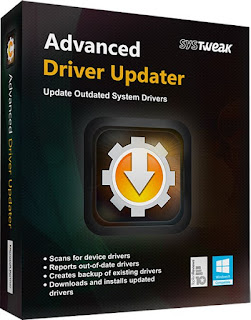
Advanced Driver Updater 4.5.1086.17939 Full Activated

Program Advanced Driver Updater by Systweak automatically downloads and installs the drivers. Thanks to this, your system will always have the latest drivers and you will no longer have to laboriously search for driver updates manually. Outdated drivers can slow down your PC or even cause errors. Drivers for video cards are especially prone to this. The clearly structured program provides access to a huge driver database, which contains, for example, Realtek, ATI, MSI, and NVidia device drivers. The database always contains the latest device drivers from all modern manufacturers.

Advanced Driver Updater is truly a jack of all trades. It not only updates video card drivers, but also drivers:
  • Printers
  • USB devices (USB flash drives and hard drives)
  • Network Cards (and Network Controller Drivers)
  • Hard drives (as well as drivers for external hard drives and RAID controllers)
  • Monitors
  • Webcams
  • Sound cards (and other sound devices)
  • For CD, DVD and Blu-ray drives
  • For TV tuners
  • Keyboards
  • Motherboard
  • Mouse
  • SCSI devices
  • Bluetooth devices and controllers
  • Modems
  • For mobile phones
  • Wifi devices
  • For digital cameras
  • Scanners

You can start downloading drivers reliably and simply. Advanced Driver Updater detects the operating system (Windows Vista, Windows 7, Windows 8 or Windows® XP) and selects the drivers that are right for yours. The program can be especially interesting for beginners, as no special knowledge is required - the program automatically searches for, downloads and updates drivers.


Snappy Driver Installer R2000 | Driverpacks

Snappy Driver Installer R2000 | Driverpacks 05.20.2


Snappy Driver Installer is a powerful tool for finding, installing and updating hardware drivers for your PC, which does not require an Internet connection. 

This program is one of the best of its kind, allowing you to quickly, efficiently and accurately find exactly the driver that the system needs - there are practically no problems when selecting for "firewood" for touchpads, sound devices, USB v3.0, etc., what is observed in similar programs.


IObit Driver Booster Pro 7.4.0.730 Full Version Free Download


Drivers that need updating can significantly reduce the performance of your computer and slow down the game process or even lead to system crashes. Driver Booster , which can be downloaded for free at softmenia, was created to automatically detect drivers that require updating, as well as download and install the appropriate drivers for various PCs. All you need to do is make one click.

Moreover, it is a necessary tool for gamers. Driver Booster offers a simple and convenient way to configure drivers for games.

Update obsolete drivers quickly and in a timely manner
  • Automatically detects outdated drivers
  • 1-click update for maximum hardware performance
  • Tuning drivers for game performance
  • Fast, safe and easy to use.


IObit Driver Booster Pro 6.6.0.455 Final With Patch Full Version Free Download

Outdated drivers may heavily affect your PC performance and may ruin game experience, or even lead to system crashes. Driver Booster is designed to automatically figure out outdated drives, and download and install the most correct drivers for different PCs. All you need to do is just one click. What’s more, it’s an essential tool for gamers. Driver Booster provides a much easier way to tweak drivers for the best gaming experience.
Features:
• Automatically Identify Outdated Drivers
• One-click Update for Maximum Hardware Performance
• Specialized Driver Tweaking for Top Gaming Experience
• Fast, Secure and Easy to Use
• Boosts your PC performance
List of changes and improvements in IObit Driver Booster PRO
  • Optimized Driver Installation Engine with Higher Driver-Device Matching Accuracy
  • Expanded the Database to Support More Devices
  • Improved Stability in Audio and Display Driver Updating
  • Added the Uninstall Feature to Easily Uninstall Any Drivers
  • Added 24×7 Toll Free Phone Support
  • Minor GUI Improvements
  • Fixed Minor Bug

Download  IObit Driver Booster


DriverMax Pro 9.43.0.280 Full Download

DriverMax Pro 9.43.0.280 Full Download

DriverMax Pro v9.43.0.280 is a new tool that allows you to download the latest driver updates for your computer. No more searching for rare drivers on discs or on the web or inserting one installation CD after the other. Just create a free account, log in, and start downloading the updates that you need. You can also export all your current drivers (or just the ones that work ok) to a folder or a compressed file. After reinstalling Windows you will have everything in one place! Most of the situations when Windows is running slower are caused by faulty driver installations. Windows stores all versions of older drivers just in case you want to go back; sometimes it messes up older versions with more recent ones. The Export Wizard will only export the drivers you select by copying the needed files to a folder or a compressed ZIP file. After reinstalling Windows all drivers will be back in place in less than 5 minutes – sparing you of searching, inserting disc after disk and losing precious time.The Import Drivers wizard allows you to install all the drivers that you exported earlier. The entire operation might take up to 5-10 minutes. Just one single computer restart will be required after all drivers are reinstalled!


Features of DriverMax Pro

• Gives details of all drivers, including the version, release date, etc.
• Create a detailed report (TXT / HTM) of the drivers.
• Make a backup copy of all the drivers installed in the specified folder.
• Ability to create an archive with the backups of drivers.
• Import Wizard to install the drivers from the saved copy.
• Ability to check for the presence of the more recent versions of the drivers.


Download Click Here

Mirror Link


DFX Audio Enhancer 12.14 With Patch/Keygen Full Version Free Download

DFX Audio Enhancer dramatically improves the sound quality of your favourite media players with 3D Surround, higher fidelity, booming bass and more, providing exceptional playback quality on your PC. The latest version includes a new Explore feature which provides you with quick access to music videos, song lyrics, similar artists, and more. Learn more about DFX features below:

↓ Easy To Use and Customizable
↓ Advanced DSP Sound Quality Enhancement
↓ Explore Artist Videos, Bio, News, Lyrics, Similar Artists New
↓ Speakers and Headphones Optimization
↓ Finely-tuned Music Presets
↓ Dynamic Sound Spectrum Analyzer
↓ Powerful Audio Processing Modes
↓ Compatible With Many Players and Media Formats Improved
↓ Efficient Performance Using Minimal CPU
↓ Stylish, Shapely Skins Updated
↓ Space Saving Mini-mode Interface Updated
↓ Presets Backup and Restore
↓ Preset Song Associations Improved
↓ 5.1/7.1 Surround Sound Support
↓ 64-Bit Windows Support

DFX dramatically improves your digital audio experience with:
• 3D Surround Sound - Immerse yourself inside the music
• Stereo Ambience - renew lost stereo depth High Fidelity Restoration
• Dynamic Gain Boosting - pump up the volume
• Headphones Optimization - Hear more pleasant, natural sounds with headphones
• Customizable Music Presets - Select finely-tuned settings for many styles of music
• Booming HyperBass - produce deep, rich bass sounds
• High Fidelity Restoration - eliminate that "muffled" sound
• Spectrum Analyzer - "See" DFX enhance your sound
• Music and Speech Modes - Get optimized sound for any type of audio
• Customizable Skins - Choose from hundreds of skins

New and improved features in DFX
  • Automatic preset selection with associated songs
  • Backup and restore personal presets
  • 10 band Audio spectrum analyzer
  • Improved responsiveness and user control
  • Gadget style user interface option
  • 64-bit Windows support


IObit Driver Booster Pro 3.0.3.275 Final With Patch Full Version Free Download

Outdated drivers may heavily affect your PC performance and may ruin game experience, or even lead to system crashes. Driver Booster is designed to automatically figure out outdated drives, and download and install the most correct drivers for different PCs. All you need to do is just one click. What’s more, it’s an essential tool for gamers. Driver Booster provides a much easier way to tweak drivers for the best gaming experience.
Features:
• Automatically Identify Outdated Drivers
• One-click Update for Maximum Hardware Performance
• Specialized Driver Tweaking for Top Gaming Experience
• Fast, Secure and Easy to Use
• Boosts your PC performance
List of changes and improvements in IObit Driver Booster PRO
  • Optimized Driver Installation Engine with Higher Driver-Device Matching Accuracy
  • Expanded the Database to Support More Devices
  • Improved Stability in Audio and Display Driver Updating
  • Added the Uninstall Feature to Easily Uninstall Any Drivers
  • Added 24×7 Toll Free Phone Support
  • Minor GUI Improvements
  • Fixed Minor Bug


Driver Genius Professional 15.0.0.1049 Final With Serial Key Full Version Free Download

Driver Genius 15 is a professional driver management tool features both driver management and hardware diagnostics. Driver Genius 15 provides such practical functions as driver backup, restoration, update and removal for computer users. With the driver backup function of Driver Genius, you can backup all drivers in your computer before reinstalling, and restore them with the driver restoration function after system reinstallation has been completed. This will dramatically save your time for driver installation during the system installation procedure, and you will no longer worry about where to find a driver. More than 100,000 device drivers have been selected in the database of Driver Genius, including Motherboard, Sound card, Video card, Network card, Modem, Mouse, Keyboard, Scanner, Printer and Digital devices etc.
Driver Genius 15 Professional Features:
1. Find latest driver for your computer. One click to update all drivers.
2. Automatically check for driver updates, make your drivers are always up-to-date.
3. Quickly backs up drivers installed in the system. Free to backup all drivers now!
4. Package all drivers to an executable auto installer. One click to restore all drivers.
5. Remove invalid or useless drivers, improve system performance and stability.
6. New system information tool. Detailed hardware inventory.
7. Hardware temperature monitor. Protect your CPU, GPU and HDD.
8. Fully support for Windows 10. Upgrade/degrade your windows system easily.


IObit Driver Booster Pro 3.0.3.262 With Patch Full Version Free Download

Outdated drivers may heavily affect your PC performance and may ruin game experience, or even lead to system crashes. Driver Booster is designed to automatically figure out outdated drives, and download and install the most correct drivers for different PCs. All you need to do is just one click. What’s more, it’s an essential tool for gamers. Driver Booster provides a much easier way to tweak drivers for the best gaming experience.
Features:
• Automatically Identify Outdated Drivers
• One-click Update for Maximum Hardware Performance
• Specialized Driver Tweaking for Top Gaming Experience
• Fast, Secure and Easy to Use
• Boosts your PC performance
List of changes and improvements in IObit Driver Booster PRO
  • Optimized Driver Installation Engine with Higher Driver-Device Matching Accuracy
  • Expanded the Database to Support More Devices
  • Improved Stability in Audio and Display Driver Updating
  • Added the Uninstall Feature to Easily Uninstall Any Drivers
  • Added 24×7 Toll Free Phone Support
  • Minor GUI Improvements
  • Fixed Minor Bug


DriverPack Solution 15.10 Final Multilingual (For Win XP/7/8/8.1/10) Full Version Free Download

DriverPack Solution Final Multilingual Full All Windows - x86 / x64 is the best program to install all the drivers on your PC or laptop automatically. Installing the PC driver is very important, because if our pc's drivers are not installed all, then the computer will be very slow and can not work optimally. But most people do not know how to install a driver on your PC or laptop them after reinstalling Windows. In fact, you need only DriverPack Solution By using this application, then all the drivers on your PC that has not been installed will be scanned and installed automatically by the application.
DriverPack Solution 15 can be used in all types of laptop or PC. In addition DriverPack Newest Solution 2015 is also supported with Windows 10. Where today many people who complain there are few drivers on your PC or laptop they were not installed because it does not support Windows 10. So the best solution is to install the driver with DriverPack Solution the admin share this time.
Some Key Features
  • Works with any driver packages (files 7z, zip), for any operating system since Windows XP
  • Work as a 32 bit and a 64 bit
  • Ability to group and custom installation of drivers
  • Ability to handle files in batches finish Bashrat’a
  • Transparent application settings (all settings are changed through the settings). All settings are stored in an ini-file
  • Quickly create a database of drivers (the ability to create all databases with one click)
  • Friendly and responsive interface
  • View the list of devices for the local PC
  • View oxidase drivers for the driver package
  • Ability to work with any carrier
  • Ability to add and run from the interface additional tools (to add, use the menu-options – additional tools). Ie, to some extent can be used as a autorun for your collections
  • Check for program updates via the Internet
  • Ability to silent install
  • Multilingual interface


DriverEasy Professional 4.9.3.10906 With Crack Full Free Download

DriverEasy is an application that you can use to locate missing drivers and download them on your computer. Once you initiate the program with the user-friendly interface, you can view system information that focuses on the machine, operating system, RAM, processors and motherboard. But you can also view data about hardware, such as video cards, monitors, hard disk, network card and audio card.

So, all you have to do is initiate the scanning process and DriverEasy will start locating your missing drivers (e.g. keyboards, mice and other pointing devices, sound, video and game controllers, human interface devices, display adapters).

Your One-Stop Driver Solution:
?· Driver Easy is design for quickly and easy to identify unknown device's drivers, and keep your driver in latest version. Much more, we have implement driver backup, driver restore, and driver uninstall feature, to ensure your driver secure and safe.

Detect Unknown Device Driver:
?· Driver Easy has a huge online database, which include over 100,000,000 hardware device's driver, with it revolutionary driver detect engine, it help you download the unknown device driver, help you fix the driver issue.


DriverPack Solution 15.9 Final Multilingual (For Win XP/7/8/8.1/10) Full Version Free Download

DriverPack Solution 15.9 Final Multilingual Full All Windows - x86 / x64 is the best program to install all the drivers on your PC or laptop automatically. Installing the PC driver is very important, because if our pc's drivers are not installed all, then the computer will be very slow and can not work optimally. But most people do not know how to install a driver on your PC or laptop them after reinstalling Windows. In fact, you need only DriverPack Solution 15.9. By using this application, then all the drivers on your PC that has not been installed will be scanned and installed automatically by the application.
DriverPack Solution 15.9 can be used in all types of laptop or PC. In addition DriverPack Newest Solution 2015 is also supported with Windows 10. Where today many people who complain there are few drivers on your PC or laptop they were not installed because it does not support Windows 10. So the best solution is to install the driver with DriverPack Solution 15.9 the admin share this time.
Some Key Features
  • Works with any driver packages (files 7z, zip), for any operating system since Windows XP
  • Work as a 32 bit and a 64 bit
  • Ability to group and custom installation of drivers
  • Ability to handle files in batches finish Bashrat’a
  • Transparent application settings (all settings are changed through the settings). All settings are stored in an ini-file
  • Quickly create a database of drivers (the ability to create all databases with one click)
  • Friendly and responsive interface
  • View the list of devices for the local PC
  • View oxidase drivers for the driver package
  • Ability to work with any carrier
  • Ability to add and run from the interface additional tools (to add, use the menu-options – additional tools). Ie, to some extent can be used as a autorun for your collections
  • Check for program updates via the Internet
  • Ability to silent install
  • Multilingual interface


Smart Driver Updater 4.0.2 Build 4.0.0.1280 With Crack Full Version Free Download

Outdated drivers can cause a range of problems on your computer from hardware not operating the way it should to complete system crashes. Smart Driver Updater is a simple easy to use solution that automatically finds and updates all your device drivers in just minutes. Your operating system requires drivers to run every hardware device associated with your PC including printers, monitors, keyboards, mice, sound cards, video cards, network card, CD/DVD drivers and more. If you're running outdated drivers your operating system may not be able to communicate properly with that hardware device anymore or you may not be enjoying the full benefit of new features and enhancements.

Identifying which of your hundreds of drivers are outdated and searching for the right driver download can take hours. Inexperienced computer users also risk downloading the wrong version of a driver and causing even more problems.

 Smart Driver Updater offers a fast, easy and safe solution for automatically managing and updating your drivers. The program scans your computer and all associated hardware devices and provides a list of all the drivers that need to be updated. With just a single click Smart Driver Updater safely installs each update on your PC. Smart Driver Updater's database contains over 200,000 drivers and is constantly updated ensuring that you always download the most current drivers.

Features Of
  • Access to more than 200,000 different drivers
  • With the latest drivers for Windows XP, Vista and Seven
  • Contains the most popular drivers on the sound card, graphics card, etc.
  • Find updates and update operations in just a few minutes.
  • Preparation and the possibility to return back up drivers
  • Drivers for optimal management and the highest possible security
  • Compatible with different versions of Windows


Contact Form

Name

Email *

Message *

Powered by Blogger.
Javascript DisablePlease Enable Javascript To See All Widget